
Come Creare Immagini PNG Trasparenti per Qualsiasi Progetto
Guida completa alla creazione e all'uso di immagini PNG trasparenti per design, web, presentazioni e progetti di stampa.
Di Ahmet C. Toplutaş · Ultimo aggiornamento 11 ottobre 2026 · Standard editoriali
Sul sito
Apri lo strumento. Soggetto esegue il modello nel browser. Colore del bordo rimuove solo il colore che tocca il bordo esterno e lascia le aree interne di quel colore. La prima esecuzione in Soggetto scarica il modello. Il tempo dipende dal dispositivo. Controlla la trasparenza sulla scacchiera, poi su bianco, nero o un colore personalizzato. Scarica un PNG trasparente come file master. Il PNG piatto o il JPEG solo dopo un colore pieno. Il JPEG non conserva la trasparenza. Capelli, vetro, catene sottili e basso contrasto possono fallire.

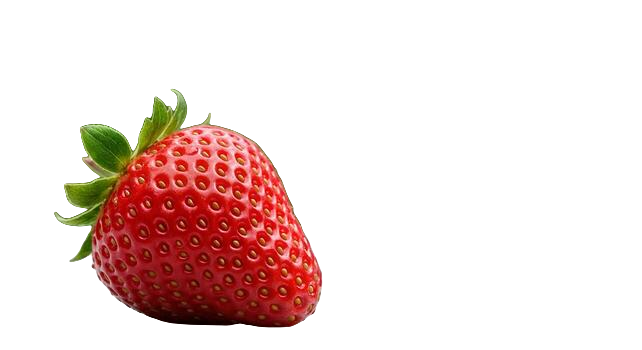
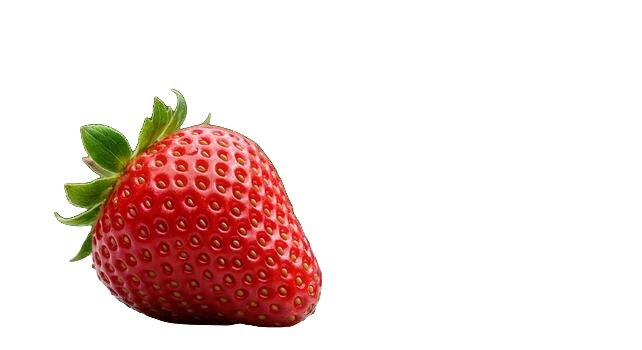

Le immagini PNG trasparenti sono essenziali nel design, nello sviluppo web e nella creazione di contenuti. Che tu stia costruendo un sito web, creando una presentazione o progettando materiali di marketing, gli sfondi trasparenti ti danno la flessibilità di sovrapporre le immagini perfettamente in qualsiasi progetto.
Cos'è un PNG Trasparente?
PNG (Portable Network Graphics) è un formato immagine che supporta la trasparenza attraverso un canale alfa. A differenza del JPEG, che ha sempre uno sfondo solido, il PNG può memorizzare informazioni di trasparenza per ogni pixel. Questo significa che puoi avere un'immagine di una persona, prodotto o oggetto senza sfondo - solo il soggetto circondato dalla trasparenza.
Usi Comuni dei PNG Trasparenti
- Design web: Loghi, icone e immagini di prodotti che devono stare su qualsiasi colore o motivo di sfondo.
- Presentazioni: Immagini che si integrano perfettamente nelle diapositive senza un riquadro bianco antiestetico intorno.
- Social media: Sovrapposizioni, adesivi e grafiche che si integrano con i tuoi post e le tue storie.
- Design per la stampa: Elementi per volantini, brochure e poster che devono sovrapporsi ad altri contenuti.
- Video: Sovrapposizioni e terzi inferiori che necessitano di sfondi trasparenti per la composizione.
Come Creare un PNG Trasparente
Il modo più veloce è usare uno strumento di rimozione sfondo con IA. Carica qualsiasi immagine - che sia una foto, uno screenshot o una grafica - e l'IA isolerà il soggetto e produrrà un PNG trasparente in pochi secondi. Nessun Photoshop o competenze di design richieste.
Per immagini esistenti con sfondi a colore solido, puoi anche usare gli strumenti "bacchetta magica" o "seleziona colore" negli editor di immagini per rimuovere lo sfondo manualmente. Tuttavia, gli strumenti IA gestiscono bordi complessi (come capelli e oggetti dettagliati) molto meglio e più velocemente.
Consigli per Lavorare con PNG Trasparenti
Tieni presente che i PNG trasparenti sono file più grandi rispetto ai JPEG. Per l'uso web, ottimizza i tuoi PNG con strumenti di compressione per mantenere i tempi di caricamento rapidi. Quando condividi immagini trasparenti, usa sempre il formato PNG - salvare come JPEG sostituirà la trasparenza con uno sfondo bianco.
Canali alfa senza mal di testa tecnico
La trasparenza in un PNG è memorizzata pixel per pixel come valore alfa. I pixel completamente opachi mantengono il colore del soggetto; quelli completamente trasparenti spariscono lasciando vedere ciò che sta sotto nel layout. L'alfa parziale crea bordi morbidi, utili per capelli e curve antialiasate, rischiosi se la sorgente era un JPEG di bassa qualità che aveva già sbavato quei bordi.
Per questo esportare in PNG da un rimuovi sfondo fa la differenza. Salvare lo stesso risultato in JPEG appiattisce l'alfa in un colore pieno (di solito bianco) e vanifica il lavoro. Anche il WebP può contenere l'alfa, ma il PNG resta il formato di consegna più sicuro per marketplace, tipografie e software di design datati.
Dove i PNG trasparenti si rompono nella pratica
- Client di posta: alcuni eliminano o ignorano la trasparenza; testa su una cella con il colore del brand.
- Caricamenti social: le piattaforme ricomprimono e possono aggiungere uno sfondo; conserva un master di riserva.
- Software RIP di stampa: verifica se la tipografia si aspetta un PNG con alfa o preferisce un PDF appiattito sullo sfondo previsto.
- Pipeline immagini dei CMS: i convertitori automatici a volte forzano il JPEG; disattivalo per loghi e scontorni.
Controllo qualità dopo l'esportazione
Apri il PNG su una scacchiera scura e su una chiara, oppure semplicemente cambia il colore di sfondo della pagina. Gli aloni compaiono come frangia chiara su scuro e come macchie scure su chiaro. Gli aloni morbidi derivano spesso dalla compressione della foto originale; riesportare da una sorgente migliore batte qualsiasi sfumatura infinita in un editor.
Il peso del file può esplodere su grandi foto di prodotto. Se una landing page sembra pesante, conserva il master trasparente a piena risoluzione nell'archivio e servi ai visitatori un PNG o WebP ridimensionato. Non ricomprimere il master in un JPEG minuscolo "per comodità".
Dalla foto all'asset riutilizzabile
Usa il creatore di sfondo trasparente quando ti serve uno scontorno rapido e archivia poi il PNG accanto al RAW o al JPEG originale nel tuo gestore di asset o nella cartella Drive. Nominalo con chiarezza (sku-123-scontorno.png) così nessun collega riscontorna lo stesso scatto sei mesi dopo.
Chi lavora in Figma o Canva dovrebbe collocare il PNG in un frame che corrisponde al ritaglio finale e duplicare varianti per interfacce chiare e scure. Un unico master alfa pulito evita il problema delle maschere "quasi uguali ma leggermente diverse" che si insinua nei kit di brand.
Quando non forzare la trasparenza
Le foto lifestyle a pagina intera, gli sfondi materici che fanno parte del racconto e gli screenshot di interfacce già progettate su una tela specifica raramente guadagnano qualcosa da uno scontorno. Rimuovi lo sfondo quando il soggetto deve viaggiare tra contesti diversi (prodotto, persona, logo, icona), non quando l'ambiente è il messaggio.
Gestione del colore e velature inattese
Capita che un PNG appaia perfetto nell'anteprima del browser e prenda una velatura chiara in un'altra applicazione. Di solito dipende da una conversione di profilo colore o da un livello con metodo di fusione sbagliato. Appiattisci solo nell'esportazione finale per il canale che richiede uno sfondo pieno e lascia intatto il master con alfa.
Se devi inviare un file trasparente a un cliente il cui programma non gestisce bene l'alfa del PNG, spedisci uno ZIP con il PNG più un'anteprima JPEG su grigio e sul colore del brand, così l'intenzione resta leggibile anche se il suo client di posta fallisce.
Pronto a provarlo tu stesso?
Rimuovi gli sfondi dalle tue immagini gratuitamente - nessuna registrazione necessaria.
Prova nobackground Gratis