
Fotografia di Prodotti E-Commerce: Guida allo Sfondo Pulito
Scopri come creare foto di prodotti professionali con sfondi puliti per Amazon, Shopify, Etsy e altri marketplace online.
Di Ahmet C. Toplutaş · Ultimo aggiornamento 25 ottobre 2026 · Standard editoriali
Sul sito
Apri lo strumento. Subject esegue il modello nel browser. Edge color rimuove solo il colore che tocca il bordo esterno e lascia le aree interne di quel colore. La prima esecuzione in Soggetto scarica il modello. Il tempo dipende dal dispositivo. Controlla la trasparenza sulla scacchiera, poi su bianco, nero o un colore personalizzato. Scarica un PNG trasparente come file master. Il PNG piatto o il JPEG solo dopo un colore pieno. Il JPEG non conserva la trasparenza. Capelli, vetro, catene sottili e basso contrasto possono fallire.
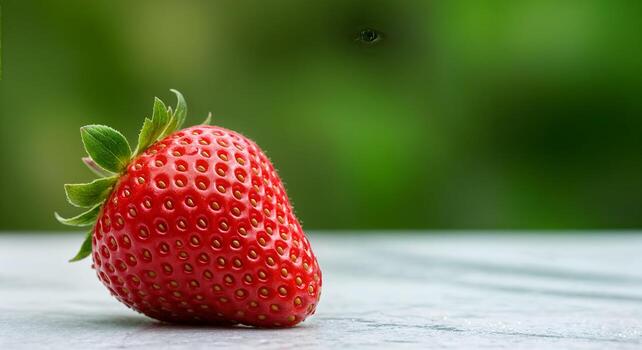
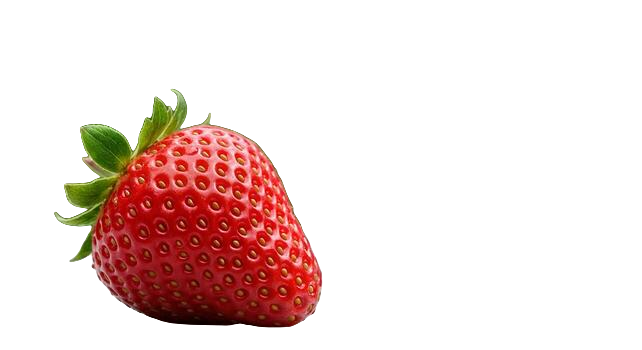

Luce e inquadratura che sopravvivono allo scontorno
La rimozione dello sfondo non inventa il dettaglio mancante. Se il bordo del prodotto è molle per micromosso, o se un'ombra inghiotte metà della sagoma, anche la maschera risulterà molle. Scatta con tempo di posa fisso, luce diffusa da entrambi i lati e profondità di campo sufficiente perché tutto il prodotto sia a fuoco. Una finestra esposta a nord più un pannello di polistirolo bianco come riflettore bastano per gran parte del lavoro di catalogo.
Inquadra lasciando un po' di respiro, ma non così tanto spazio vuoto da ridurre il prodotto a un'isoletta. Dopo lo scontorno ridimensionerai il soggetto secondo le regole di ritaglio del marketplace, e partire da un originale ben composto rende quel ridimensionamento meno distruttivo.
Controlla prima di pubblicare
Confronta il PNG scaricato con l’originale al 100%. Controlla punte dei capelli, manici e spazi tra le parti. Le anteprime su bianco e nero rivelano aloni poco visibili su un solo fondo. La fragola è un esempio, non una misura della precisione su altri soggetti. Se necessario, correggi la maschera manualmente in un altro editor.
Esportazione e piccoli lotti
Seleziona fino a otto file. Il browser li elabora in sequenza; il download ZIP raccoglie i PNG completati. Controlla ogni risultato e riprova i file falliti. Non è una coda server senza supervisione. Conserva un PNG trasparente come master. Per PNG piatto o JPEG scegli prima un colore di sfondo; JPEG non conserva trasparenza.
Prepara il file per l’annuncio
Conserva il master trasparente e controlla le regole aggiornate della categoria di destinazione. Etsy non supporta PNG trasparenti: le aree trasparenti possono apparire nere. Esporta PNG piatto o JPEG. Etsy richiede inoltre almeno una foto non modificata dell’articolo reale su uno sfondo reale, con eccezioni per alcuni articoli. Consulta i requisiti delle immagini Etsy (verificati il 25 ottobre 2026). Uno scontorno non sostituisce quella foto originale.
Quando conservare un'ombra morbida
Alcuni brand vogliono un'ombra di contatto naturale perché i prodotti non sembrino adesivi. Rimuovere lo sfondo di solito elimina anche l'ombra a terra. Puoi aggiungere un'ombra sintetica morbida nel tuo strumento di design dopo lo scontorno, oppure fotografare su bianco e pulire solo i bordi invece di rimuovere tutto. Metti questa scelta in una guida di marca, così nessuno inventa uno stile di ombra diverso ogni settimana.
Pronto a provarlo tu stesso?
Rimuovi gli sfondi dalle tue immagini gratuitamente - nessuna registrazione necessaria.
Prova nobackground Gratis