
Fotografía de Productos para E-Commerce: Guía de Fondos Limpios
Aprende a crear fotos de productos profesionales con fondos limpios para Amazon, Shopify, Etsy y otros marketplaces en línea.
Por Ahmet C. Toplutaş · Última actualización 25 de octubre de 2026 · Normas editoriales
En este sitio
Abre la herramienta. Subject ejecuta el modelo en el navegador. Edge color quita solo el color que toca el borde exterior y deja las zonas interiores de ese color. La primera ejecución de Sujeto descarga el modelo. El tiempo depende del dispositivo. Revisa la transparencia en el damero y después en blanco, negro o un color propio. Descarga un PNG transparente como archivo maestro. El PNG plano o el JPEG solo después de elegir un color sólido. El JPEG no guarda transparencia. El pelo, el cristal, las cadenas finas y el bajo contraste pueden fallar.



Iluminación y encuadre que sobreviven a la eliminación de fondo
Eliminar el fondo no inventa detalle que falta. Si el borde del producto está blando por trepidación, o si una sombra se traga medio contorno, la máscara también saldrá blanda. Dispara con velocidad de obturación fija, luz difusa por ambos lados y suficiente profundidad de campo para que todo el producto esté nítido. Una ventana orientada al norte más una cartulina blanca como reflector basta para la mayoría del trabajo de catálogo.
Encuadra dejando algo de aire, pero no tanto espacio vacío como para que el producto quede como una islita. Después del recorte escalarás el sujeto a las reglas de recorte del marketplace, y partir de un original bien compuesto hace ese escalado menos destructivo.
Revise antes de publicar
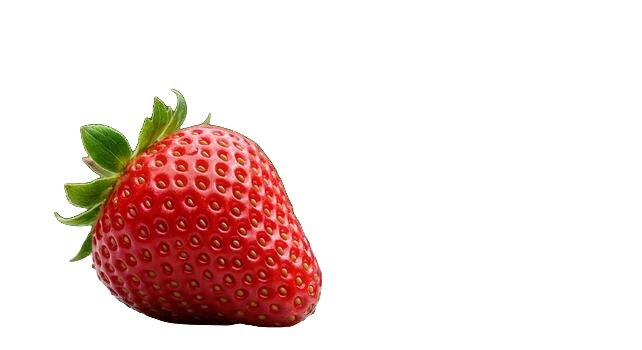
Compare el PNG descargado con el original al 100 %. Compruebe puntas de pelo, asas y huecos entre las partes. La vista sobre blanco y negro revela halos que pueden pasar desapercibidos sobre un solo fondo. La fresa es un ejemplo, no una medida de precisión para otros sujetos. Si hace falta, corrija la máscara manualmente en otro editor.
Exportación y lotes pequeños
Seleccione hasta ocho archivos. El navegador los procesa uno a uno; el ZIP reúne los PNG terminados. Revise cada resultado y vuelva a intentar los archivos fallidos. No es una cola de servidor desatendida. Guarde un PNG transparente como original maestro. Para un PNG plano o JPEG, elija primero un color de fondo; JPEG no conserva transparencia.
Prepare el archivo del anuncio
Conserve el original transparente y compruebe las reglas actuales de la categoría de destino. Etsy no admite PNG transparentes; las zonas transparentes pueden aparecer negras. Exporte PNG plano o JPEG. Etsy también exige al menos una foto sin editar del artículo real sobre un fondo real, con excepciones para ciertos artículos. Consulte los requisitos de imágenes de Etsy (comprobados el 25 de octubre de 2026). Un recorte no sustituye esa foto original.
Cuándo conservar una sombra suave
Algunas marcas quieren una sombra de contacto natural para que los productos no parezcan pegatinas. Eliminar el fondo suele borrar también la sombra del suelo. Puedes añadir una sombra sintética suave en tu herramienta de diseño después del recorte, o fotografiar sobre blanco y limpiar solo los bordes en lugar de recortar por completo. Define ese criterio en una guía de marca para que los colaboradores no inventen un estilo de sombra distinto cada semana.
¿Listo para probarlo tú mismo?
Elimina fondos de tus imágenes gratis - sin necesidad de registro.
Prueba nobackground Gratis