So entfernen Sie den Hintergrund eines beliebigen Bildes online kostenlos
Schritt-für-Schritt-Anleitung zum sofortigen Entfernen von Bildhintergründen mit kostenlosen KI-gestützten Tools. Keine Softwareinstallation nötig.
Von nobackground team · Zuletzt aktualisiert 10. März 2026
Das Entfernen des Hintergrunds eines Bildes erforderte früher teure Software wie Photoshop und stundenlange, akribische Handarbeit. Heute ermöglichen KI-gestützte Tools jedem, in nur wenigen Sekunden professionelle, saubere Ergebnisse zu erzielen - völlig kostenlos und ohne Installation.
Warum Bildhintergründe entfernen?
Ein sauberer, transparenter Hintergrund macht Ihre Bilder vielseitig einsetzbar. Sie können Produkte auf beliebigen Hintergründen für Ihren Online-Shop platzieren, professionelle Profilbilder erstellen, Marketingmaterialien gestalten oder Bilder für Präsentationen vorbereiten. Die Hintergrundentfernung ist eine der häufigsten Bildbearbeitungsaufgaben für Unternehmen und Privatpersonen gleichermaßen.
Schritt für Schritt: Hintergrund online entfernen
Schritt 1: Laden Sie Ihr Bild hoch. Navigieren Sie zum Hintergrundentferner-Tool und ziehen Sie Ihr Bild per Drag & Drop oder klicken Sie zum Durchsuchen. Unterstützte Formate sind PNG, JPG und WEBP bis 10 MB.
Schritt 2: Warten Sie auf die KI-Verarbeitung. Das KI-Modell analysiert Ihr Bild, identifiziert das Motiv und entfernt den Hintergrund automatisch. Dies dauert in der Regel nur wenige Sekunden. Bei Ihrem ersten Besuch wird das KI-Modell in Ihren Browser heruntergeladen und für zukünftige Nutzung zwischengespeichert.
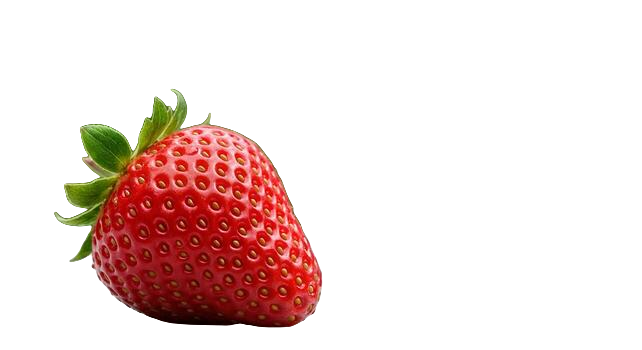
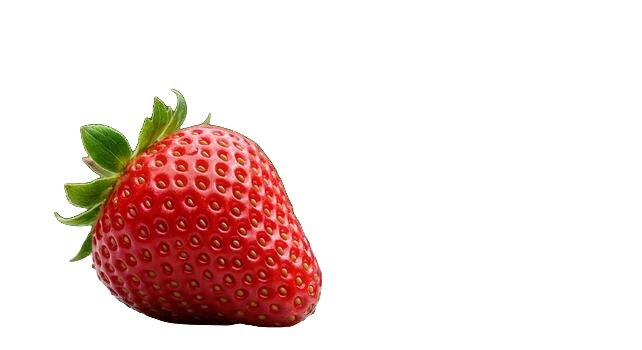
Schritt 3: Vorschau und Download. Vergleichen Sie das Original mit dem Ergebnis in der Nebeneinander-Ansicht oder mit dem interaktiven Schieberegler. Wenn Sie zufrieden sind, klicken Sie auf PNG herunterladen, um Ihr transparentes Bild zu speichern.
Tipps für beste Ergebnisse
- Verwenden Sie hochauflösende Bilder mit guter Beleuchtung für die schärfsten Ergebnisse.
- Bilder mit starkem Kontrast zwischen Motiv und Hintergrund erzeugen die saubersten Kanten.
- Porträts, Produktfotos und Objekte vor einfarbigem Hintergrund funktionieren besonders gut.
- Komplexe Szenen mit mehreren überlappenden Motiven erfordern möglicherweise etwas Experimentieren.
Datenschutz und Sicherheit
Im Gegensatz zu vielen Online-Tools verarbeitet unser Hintergrundentferner Bilder vollständig in Ihrem Browser mit geräteeigener KI. Ihre Bilder werden niemals auf einen Server hochgeladen, was ihn zur privatesten verfügbaren Option für die Hintergrundentfernung macht.
When free online tools beat desktop software
Desktop editors still win for complex compositing, but for the everyday job of isolating a subject and exporting a transparent PNG, a browser tool is usually faster. You skip installers, license prompts, and the learning curve of pen tools. Upload, wait a few seconds, download. That workflow matters when you need ten clean cutouts before lunch, not one perfect mask after an afternoon of zooming into hair strands.
Free online removers also lower the barrier for freelancers and small shops that cannot justify a Creative Cloud seat for a single recurring task. If your week includes marketplace listings, social creatives, and slide decks, you want something that opens in a tab and works on the laptop you already use.
Common failure cases and how to fix them
Even strong models struggle when the subject blends into the backdrop. A white t-shirt on a white wall, a beige product on a beige table, or a glossy bottle reflecting the room can leave soft edges or holes. The fix is usually upstream of the tool: move the subject, change the angle, or add a contrasting sheet behind the product before you shoot.
Hair, fur, and fine jewelry wires are the other classic stress test. Preview at 100% zoom after download. If a few strands look clipped, try a sharper source photo rather than re-running the same soft JPEG. Compression artifacts confuse segmentation more than people expect.
Semi-transparent materials like glass, smoke, or thin mesh will rarely look perfect on the first pass. Treat those as special cases: remove the background for the opaque parts, then touch up transparency in a design tool if the result must be publication-grade.
A practical checklist before you upload
- Prefer the highest-resolution original you have, not a screenshot of a screenshot.
- Crop out large empty regions so the subject fills more of the frame.
- Avoid heavy filters or Instagram-style overlays baked into the file.
- If you need a white marketplace background later, export transparent PNG first, then place it on white in your listing editor.
Once you have a clean transparent PNG from nobackground, you can drop it into Canva, Figma, Shopify, or a slide template without fighting a leftover white box. That reuse is the real payoff of background removal done right.
Privacy note for sensitive photos
ID photos, unreleased product shots, and client work should not travel to unknown servers if you can avoid it. Tools that run the model in your browser keep the pixels on your device during processing. That does not replace good judgment about what you share publicly after download, but it does remove an unnecessary upload step from the pipeline.
What to do after you download
Transparent PNG is the flexible master file. From there you can place the subject on pure white for Amazon, on brand color for a landing page, or on a lifestyle scene for ads. Keep the transparent version in your asset library so you never re-cut the same photo when a campaign palette changes.
Choosing between white background and transparent PNG
Marketplace main images often require pure white. Marketing sites and design tools prefer transparency. The efficient path is always the same: create a transparent master first, then generate the white variant by placing the PNG on a #FFFFFF canvas. Doing it in that order means you never re-cut the subject when a channel changes its backdrop rules.
If a tool only offers “white background” as the export, you lose reuse. Prefer workflows that give you alpha. Then decide the finish per destination.
Bereit, es selbst auszuprobieren?
Entfernen Sie Hintergründe aus Ihren Bildern kostenlos - keine Registrierung nötig.
nobackground kostenlos testen